

Smartphone pest monitoring for Philippine farms.
Photograph insects on sticky traps and crops, count them, and follow pest populations by farm and location over time, with the phone you already have.
Version C1. Free to use. Works on Android and iPhone in the browser, and installs to the home screen.
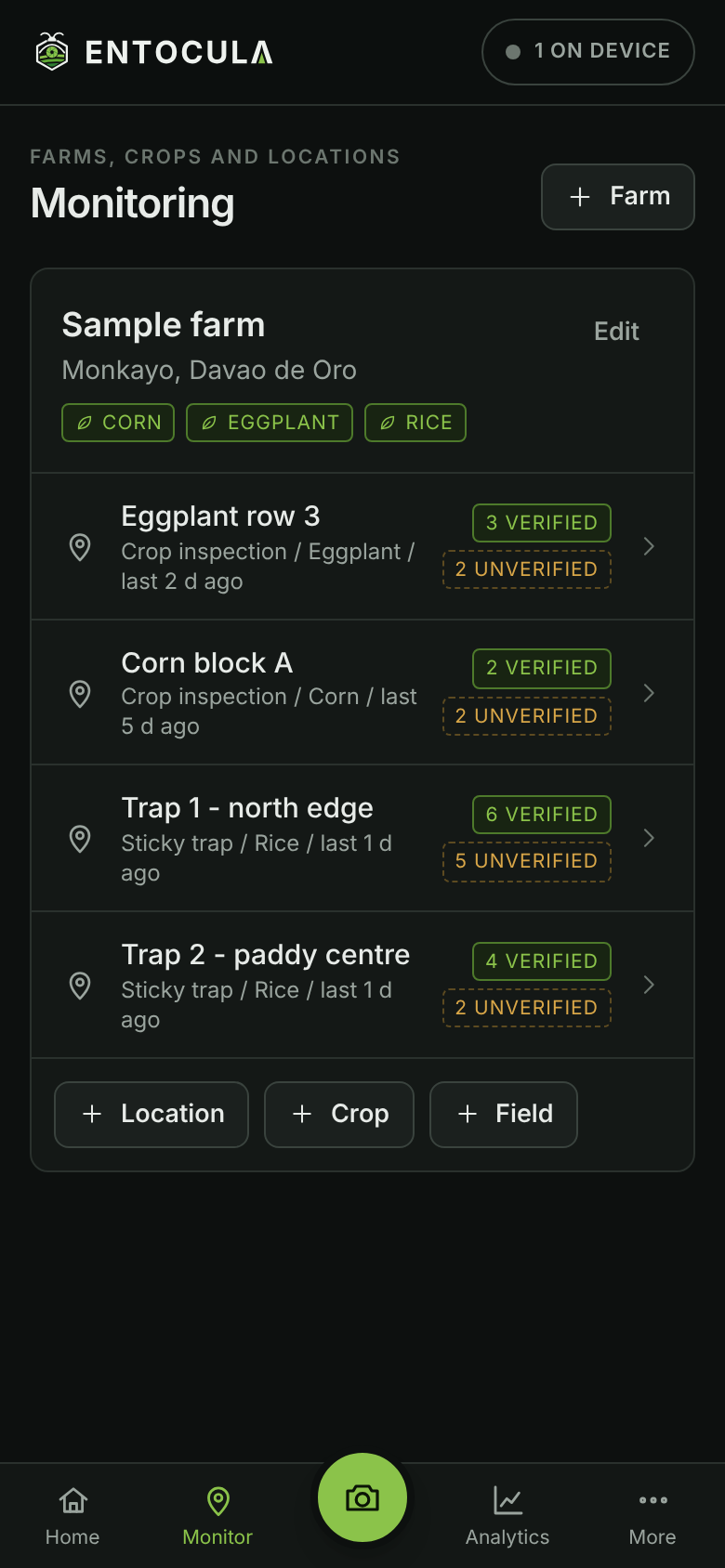
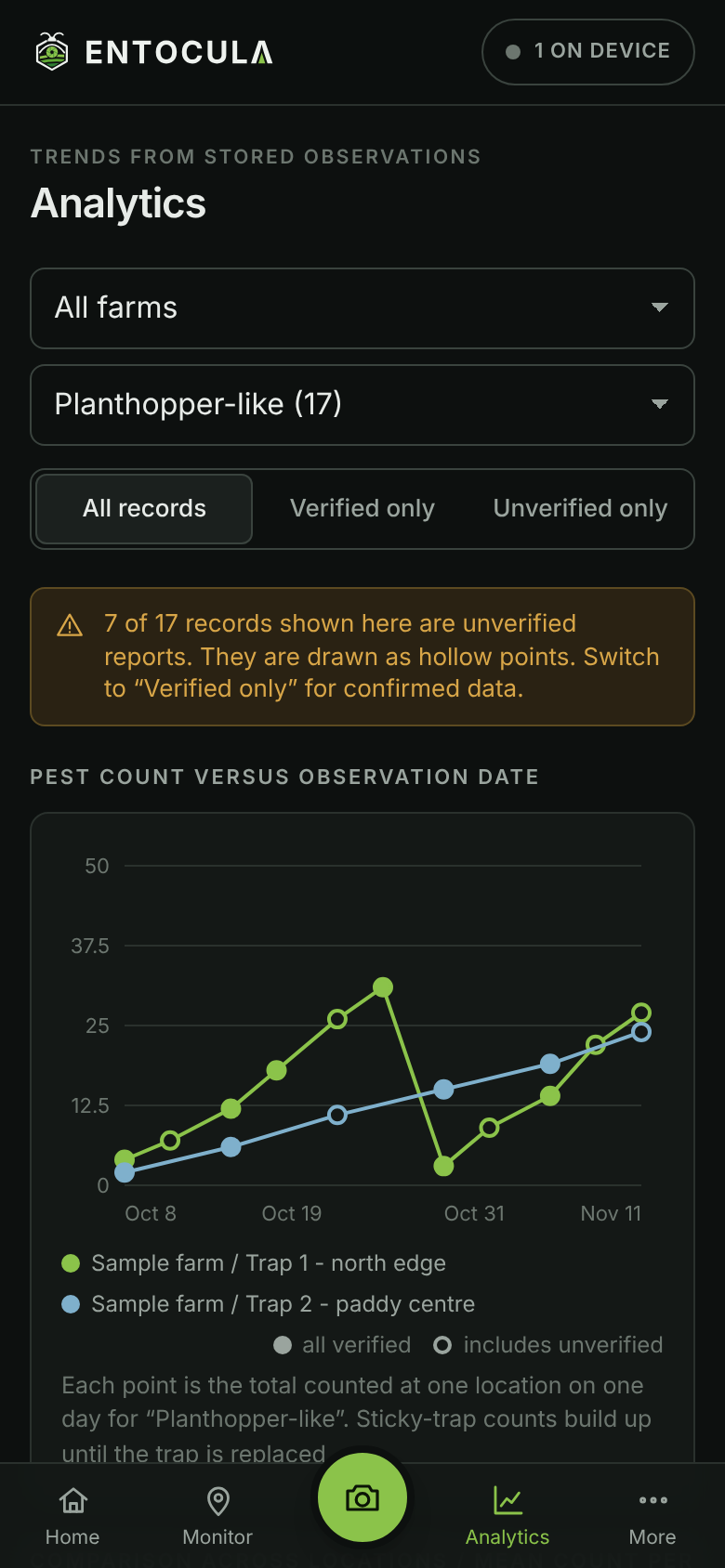
ENTOCULA C1 screens, shown with sample data.
What it does
A field instrument, not a guessing game.
ENTOCULA (entomology + oculus, the eye) helps farmers and technicians keep honest, comparable pest records from day one.
Your phone is the instrument
Opens the rear camera with focus and light readings, zoom and cropping, so small insects stay sharp enough to count.
Counted by people
Type a number or tap each insect on the photo. Every marker and number is entered by a person, never guessed.
Trends you can trust
Counts by date, location and farm, calculated only from what was actually recorded. Gaps stay gaps.
Field maps and IPM
Drop sample points on a map, see pest density and damage across the field, and compare with action thresholds (ETL) or your own economic injury level.
Verified is never ambiguous
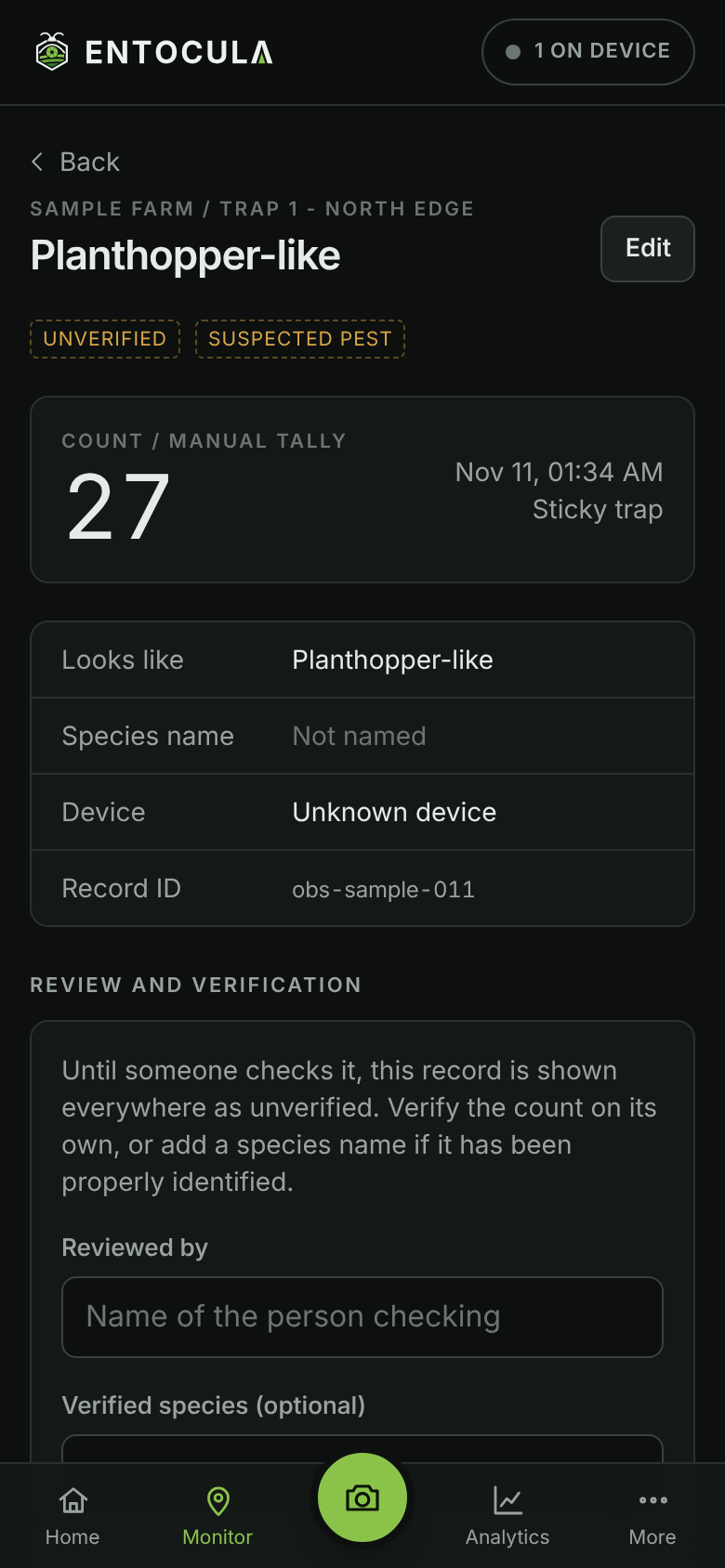
Every record starts unverified. Species names need a stated basis, and reviewed records are shown differently everywhere.
Works without signal
Saves on the phone first and uploads when a connection returns. A photo only counts as backed up once the server confirms it.
Spare phone as a trap camera
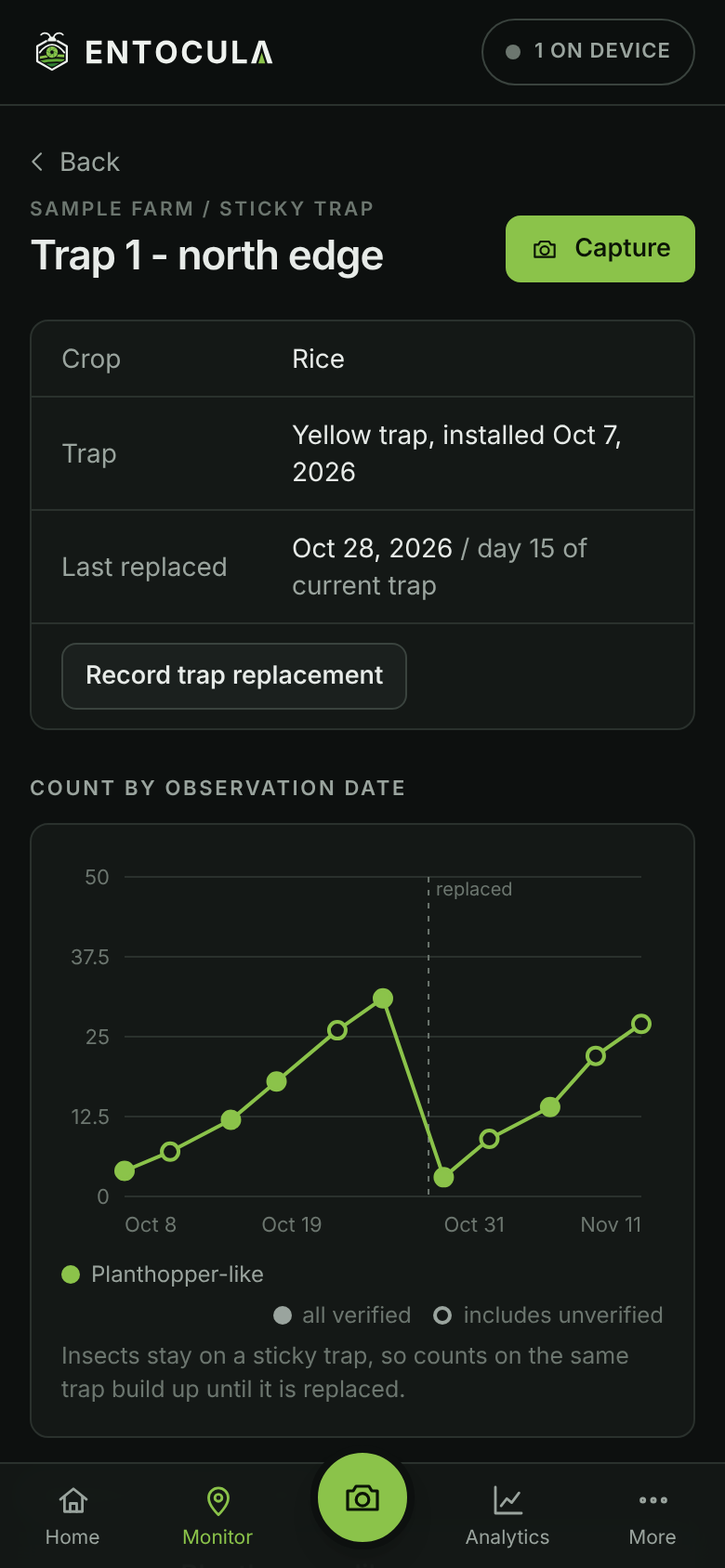
Mount an older phone above a sticky trap for repeat photos from the same position while the app stays open.
Crop guides
Know the pests before they spread.
Free guides for farmers: photos, scientific and local names, damage, prevention and when to act, crop by crop.
How it works
Three steps in the field.
Set up a location
Add your farm, the crop and each yellow sticky trap or inspection spot. No GPS needed.
Photograph and count
Fill the frame with the trap or leaf, check the photo, then count the insects and describe what you see.
Watch the trend
Compare counts across dates and locations, and have someone review the records you want to rely on.
Inside the app
Built for one hand and bright sunlight.
Dark, high-contrast screens with large controls, readable outdoors.
Roadmap
Validated step by step.
No extra hardware until the phone-based method is proven. First crops: rice, corn and eggplant.
Capture, storage, manual counting and monitoring analytics.Available now
An Android capture app for scheduled, unattended trap photos.In design
Automatic counting and identification, tested against our own labelled field photos.Research
Research-based population alerts and IPM guidance. Never automatic spraying.Planned
Low-cost cameras, solar power and field sensors.Planned